Turn Your Child's Drawing Into a 3D Pet (That Actually Comes Alive)
Every fridge-door masterpiece deserves a life of its own. Here's how a two-minute doodle becomes a squishy 3D companion.
If you have a young artist at home, you know the ritual: the drawing gets finished, named, and taped to the refrigerator — and there it stays. What if the bird your kid drew this morning could hop off the paper, wobble around, and start a conversation?
That's exactly what Eyedo does. It's a free creative game for Android where anything you draw — a bird, a mermaid, a lopsided dinosaur — gets inflated into a squishy, bouncy 3D pet with its own personality.
How it works, in four steps
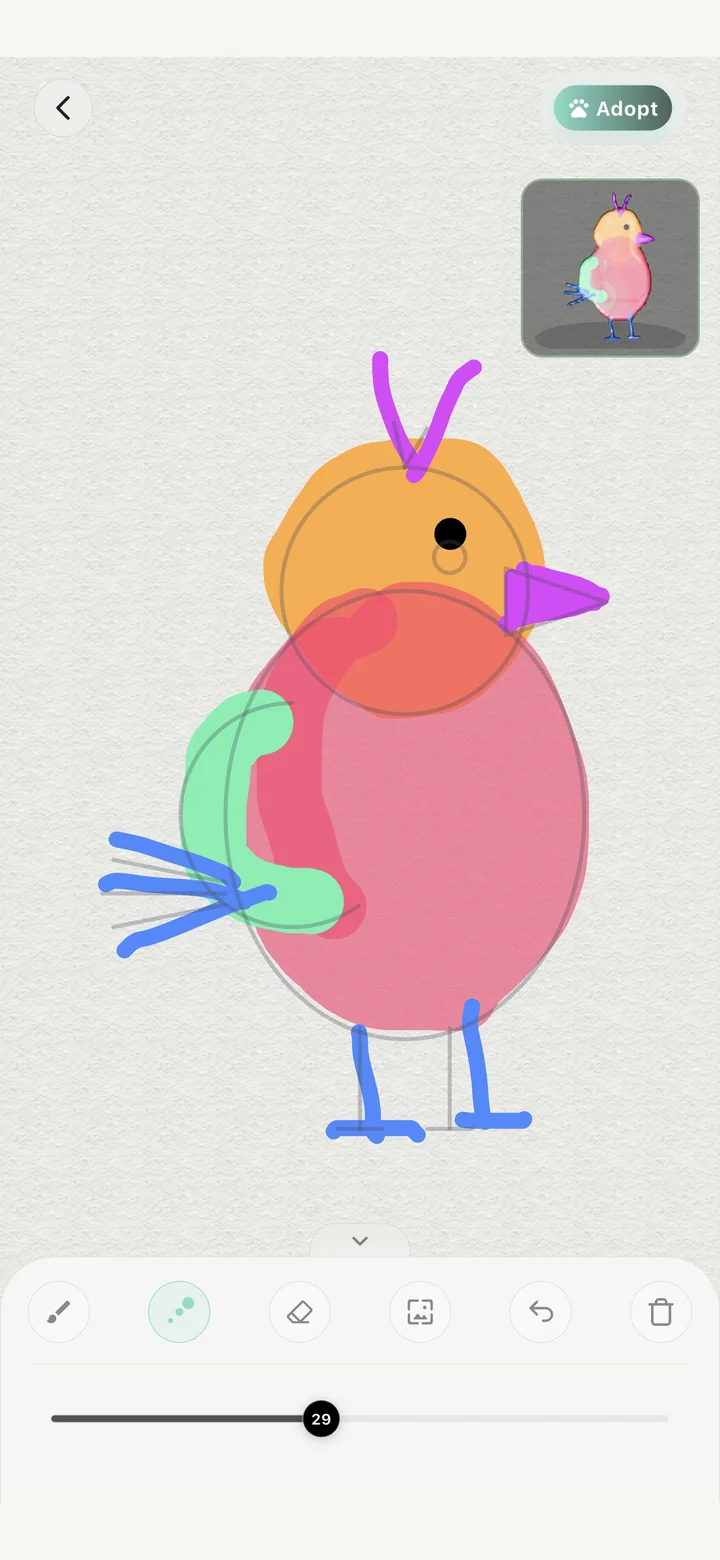
- Pick a starting point. Choose a coloring card with a cute template, or start from a blank canvas and doodle anything freehand — both work.
- Draw and color. The dual-layer canvas gives kids real brushes and colors, with a live 3D preview in the corner as they work.
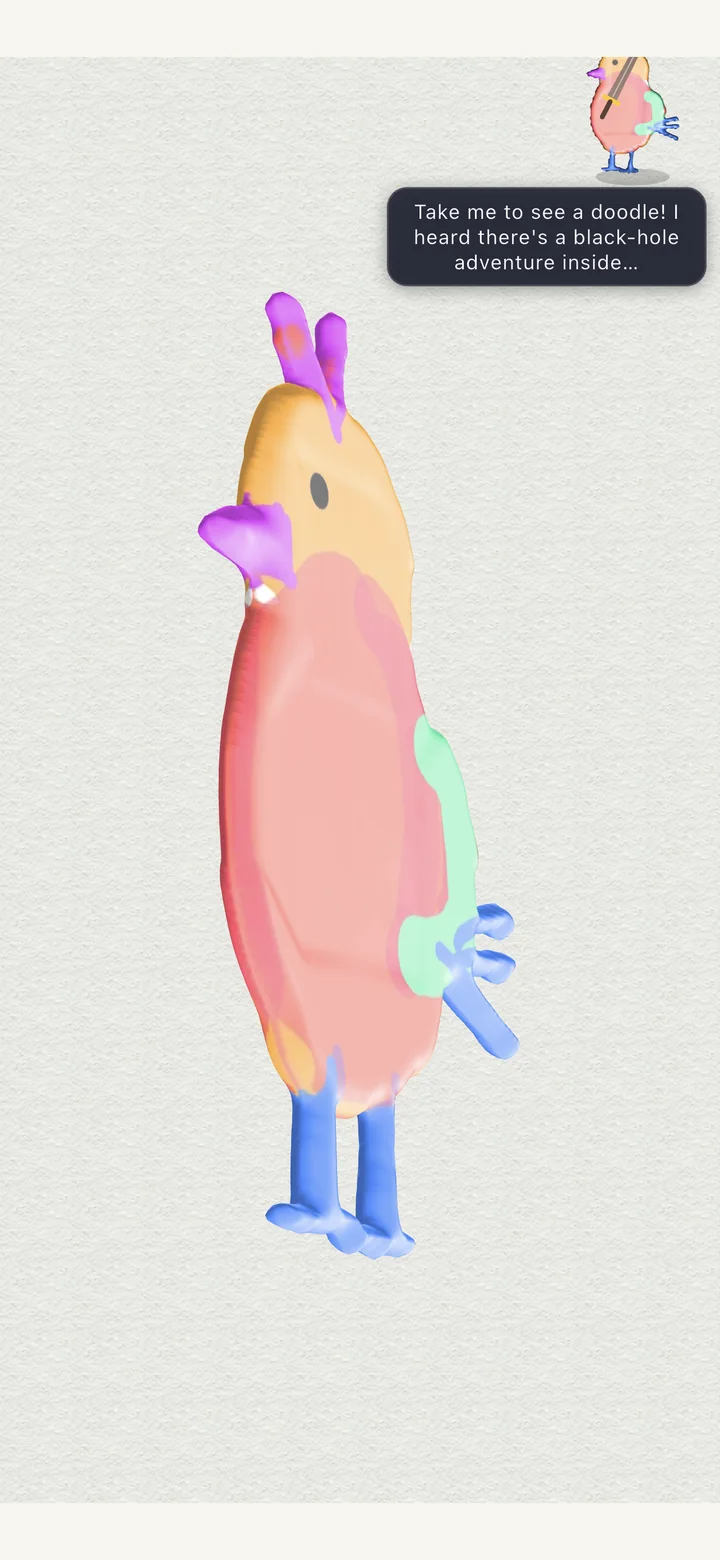
- Watch it inflate. This is the magic moment: the app's custom 3D inflation engine turns the flat drawing into a soft, squeezable 3D pet — complete with idle animations, expressions, and little dialogue bubbles.
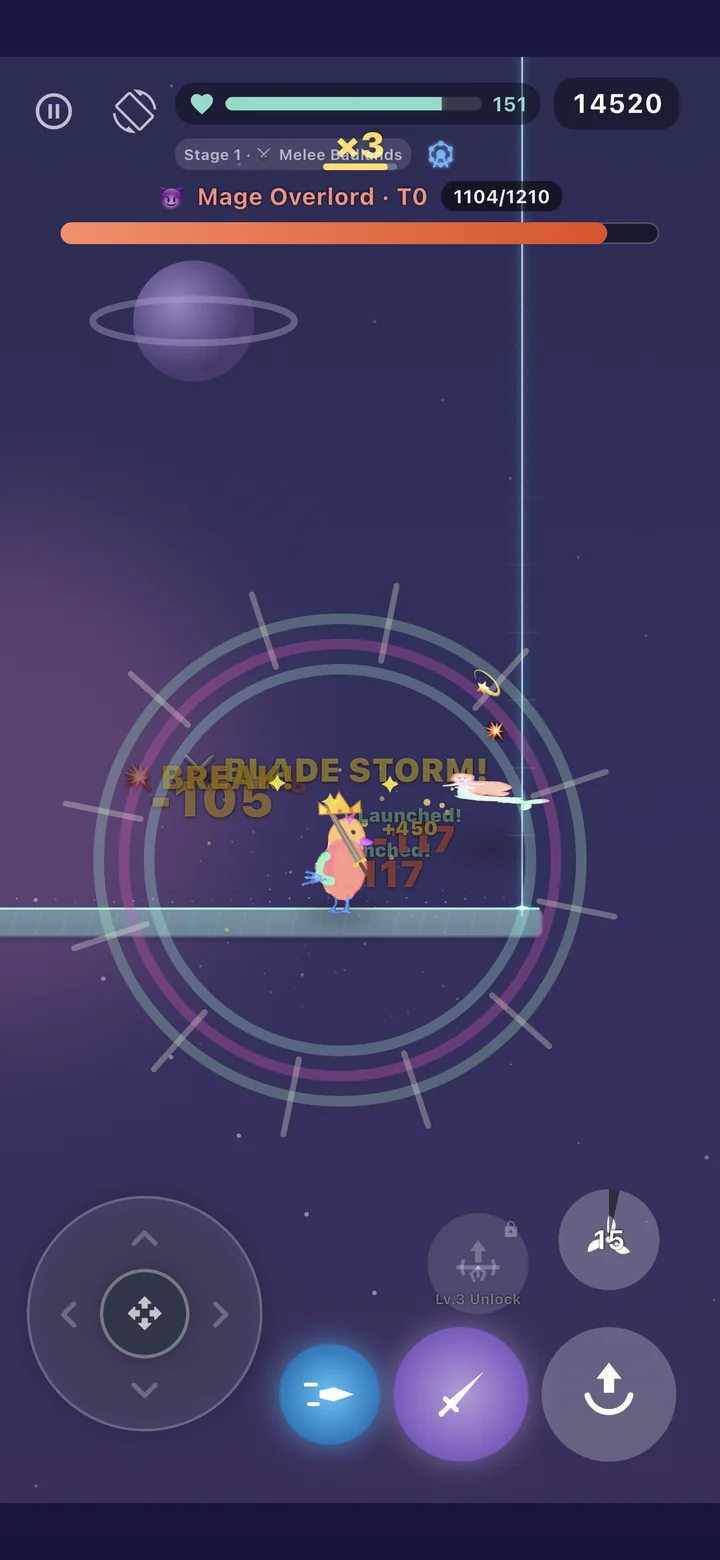
- Adopt and go adventuring. The new pet joins your collection. Feed it, chat with it, and take it into a handcrafted side-scrolling adventure with more than 3,000 levels.
The technology behind the squish
Eyedo isn't stacking clip-art onto a drawing. Under the hood is a custom deformation engine (built in C++ and wrapped into the app) that reconstructs a 3D mesh directly from the strokes your child actually drew — so the pet that inflates on screen genuinely has their proportions, their color choices, their wobbly wings. Two kids can color the same template and end up with two pets that feel completely different.
More than a drawing app
Once a pet exists, it doesn't sit in a menu. It follows along:
- A fantasy adventure — a side-scrolling action game where your pet fights alongside you, with fluid movement, abilities to master, and bosses to beat across 3,000+ handcrafted levels.
- Companionship — touch your pet, discover its dialogue, and watch how it grows and reacts. It's the "living sticker" feeling kids keep coming back for.
- A doodle guessing game — a family-friendly word-guessing mode built on the same drawings.
For parents: creative screen time, with real guardrails
Eyedo was built as a making app, not a watching one — the screen time goes into drawing, choosing, and caring for something your child created. And a game made for young artists deserves real guardrails, so the app ships with a full set of built-in parental controls:
- A 4–6 digit parent PIN that locks the settings;
- Daily playtime limits you set;
- A bedtime window that gently ends the session;
- Regular in-game break reminders.
The settings follow the account, so limits apply on every device your child signs in on.
Free to download on Google Play. Optional VIP subscription for extra brushes, slots and perks — the drawing-to-3D-pet magic is free.
Get Eyedo on Google PlayFAQ
- Is Eyedo free?
- Yes — downloading the app, drawing, inflating pets, and playing the adventure is free. There's an optional VIP subscription that adds convenience perks; it's never required to bring a drawing to life.
- Does my child have to be able to draw well?
- Not at all. The engine inflates anything from a careful coloring card to a thirty-second scribble — wobbly drawings often make the funniest pets.
- Which devices are supported?
- Eyedo is available for Android phones and tablets on Google Play. An iOS version is in the works.
- Can I limit how long my child plays?
- Yes. Built-in parental controls let you set a daily playtime limit, a bedtime window, and break reminders — all protected by a parent PIN.